A LiftMaster keypad is a convenient way to access your garage without a remote or key. However, if you forget your code or need to change it for security reasons, you’ll need to reset the keypad. Ensuring that your garage door remains secure and functional is crucial for protecting your home and belongings. This guide provides clear instructions on how to reset a LiftMaster garage door opener keypad, helping you maintain a safe and efficient garage entry system. Additionally, we will cover related services that can enhance the performance and security of your garage door system. Whether you need to reset, reprogram, or troubleshoot your LiftMaster keypad, this article serves as a complete resource for homeowners.
Why You Need to Reset Your LiftMaster Keypad
Before diving into the reset process, it’s important to understand why you might need to reset your LiftMaster keypad. There are several reasons why you may need to reset a LiftMaster keypad:
- Forgotten Code – If you don’t remember your current entry code, resetting is the only way to set a new one.
- Security Concerns – If you suspect someone else knows your code, resetting helps prevent unauthorised access.
- New Homeowner – If you’ve moved into a home with an existing LiftMaster garage door keypad, resetting ensures only you can access the garage.
- Keypad Malfunction – Sometimes, keypads become unresponsive due to connectivity issues or battery failures. A reset may help restore functionality.
How to Reset a LiftMaster Garage Door Opener Keypad
Resetting a LiftMaster garage door opener keypad is a straightforward process. Follow these simple steps to reset a LiftMaster keypad code and reprogram it with a new PIN.
Step 1: Locate the Learn Button
The first step in resetting your keypad is to locate the Learn Button on the garage door opener.
- Find the Learn Button on the back or side of your LiftMaster garage door opener unit. It’s typically located near the antenna wire.
- The button is usually red, orange, yellow, or purple, depending on the model.
Step 2: Clear the Existing Code
Once you have found the Learn Button, you need to clear the old keypad code before setting a new one.
- Press and hold the Learn Button for 6–10 seconds until the LED indicator turns off. This clears stored keypad codes and paired remotes from the opener memory.
- On most LiftMaster models, clearing the opener memory is recommended when homeowners forget the existing PIN or want to remove old access devices for security reasons.
Step 3: Enter a New PIN Code
After clearing the old code, you can now set up a new PIN to use with your garage door keypad.
- Press and release the Learn Button once, then enter a new 4-digit PIN on the keypad within 30 seconds.
- After entering the code, press and hold the Enter button until the garage door opener light flashes or you hear a click confirming successful programming.
Step 4: Test the New Code
Testing the new code ensures that your keypad is working properly.
- Close the garage door.
- Enter the new PIN on the keypad and press Enter.
- If the door opens, your LiftMaster garage door reset keypad process is complete!

Difference Between Reprogramming and Factory Reset
Reprogramming a LiftMaster keypad and performing a factory reset are not the same process. Reprogramming changes the keypad PIN while keeping existing remotes and opener settings active. A factory reset completely clears stored devices and keypad codes from the opener memory.
Homeowners usually reprogram the keypad when updating an existing PIN, while a full reset is more common after moving into a new home, losing access credentials, or troubleshooting persistent keypad issues.
- Reprogramming keeps paired remotes connected
- Factory reset erases keypad and remote memory
- Resetting is recommended after security concerns or lost codes
- Most LiftMaster systems require access to the Learn button for both methods
How to Reprogram LiftMaster Garage Door Opener Keypad
If you already have a functioning keypad but need to change the code, you can reprogram a LiftMaster keypad instead of doing a full reset.
Adding a Temporary Code
LiftMaster keypads also allow you to create temporary access codes, which can be useful for guests or service personnel.
- Enter your primary 4-digit PIN, then press and hold the Enter button.
- While holding Enter, press the Learn Button on the garage door opener once.
- Enter a new temporary code and press Enter.
- The temporary code will remain active until the next use.
How to Clear Codes on LiftMaster Garage Door Opener
In some cases, you may want to remove all programmed codes from your LiftMaster garage door opener, including keypads and remotes.
- Locate the Learn Button on your garage door opener.
- Press and hold the Learn Button for six to ten seconds until the LED indicator turns off.
- This will erase all keypad codes and remotes linked to the garage door opener.
After clearing the codes, you must reprogram all keypads, remotes, and accessories.
Where to Find the Learn Button on LiftMaster Openers
The Learn button is typically located on the back or side panel of the LiftMaster garage door opener motor unit near the antenna wire or light cover. Depending on the model, the button may be yellow, red, orange, green, or purple.
Many homeowners have difficulty resetting or reprogramming a keypad simply because they cannot locate the Learn button. On newer LiftMaster systems, the button is often hidden behind the light lens or access panel.
- Yellow Learn buttons are commonly found on Security+ 2.0 models
- Purple or red buttons usually indicate older LiftMaster generations
- The opener light cover may need to be opened to access the button
- Wall-mounted openers may place the Learn button underneath the unit
Troubleshooting LiftMaster Keypad Issues
Sometimes a keypad reset or reprogramming attempt does not fully resolve the issue, especially if the opener memory, keypad battery, signal range, or wireless connection settings are causing communication problems between the keypad and garage door opener. If your LiftMaster garage door reset keypad doesn’t work, try these troubleshooting steps.
Check the Keypad Battery
A weak or dead battery can prevent the keypad from working. Replace the 9V battery and try entering your PIN again.
Verify the Keypad Range
If the LiftMaster garage door opener doesn’t respond, you may be too far away. Stand closer and reattempt the code.
Reset the Entire System
If you continue experiencing issues, reset both the garage door opener and the keypad. This ensures all previous codes are erased and the system starts fresh.
Professional Help for Garage Door Keypad Issues
If you need expert assistance with your garage door keypad, consider professional garage door services and repair. Whether you need a new keypad, troubleshooting, or a complete system reset, a technician can help ensure everything functions smoothly.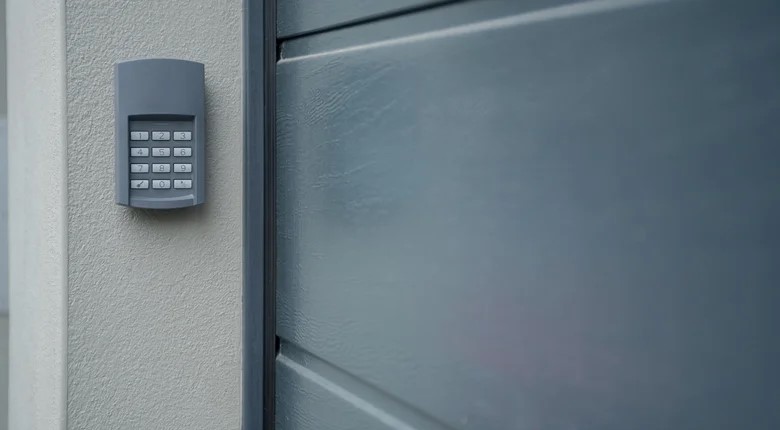
Additional Services for Garage Door Openers
Beyond resetting your LiftMaster keypad, you may require other related services. These options can enhance security and convenience.
- Garage opener installation – If your opener is outdated, a new installation can improve security and convenience.
- Emergency garage door service – If your garage door won’t open or close, emergency repairs ensure quick access.
- Garage door sensor repair – Faulty sensors can prevent your door from operating correctly. Repairing them restores safety and efficiency.
- New garage door opener remote – If you need an additional or replacement remote, professionals can supply and program it for you.
- Smart Garage Upgrades – Upgrade your garage with a smart opener that integrates with mobile apps for remote access and monitoring.
- Garage Door Maintenance Services – Regular maintenance, including lubrication and inspections, extends the lifespan of your garage door opener.
- Keyless Entry System Installation – Installing a wireless keypad entry system enhances convenience and security, eliminating the need for keys or remotes.
Conclusion
Ensuring that your garage door keypad is properly reset and functioning optimally is crucial for security and convenience. By following the steps in this guide, you can successfully reset a LiftMaster garage door opener, reprogram a LiftMaster keypad, and address common troubleshooting issues. For homeowners seeking additional upgrades or professional assistance, expert garage door services and repair can provide reliable solutions tailored to your needs. Investing in regular maintenance and smart technology integration can further enhance the safety and efficiency of your garage door system.